Every Godot project, on its own version.
A Godot version manager for Linux and Windows. It installs official builds (stable, dev and .NET), export templates and debug symbols, and verifies every download. A .godot-version file in the project says which editor it uses, and the godot command opens that one. It’s a CLI written in Go, with an optional GUI that looks like Godot’s Project Manager. Free and MIT licensed.
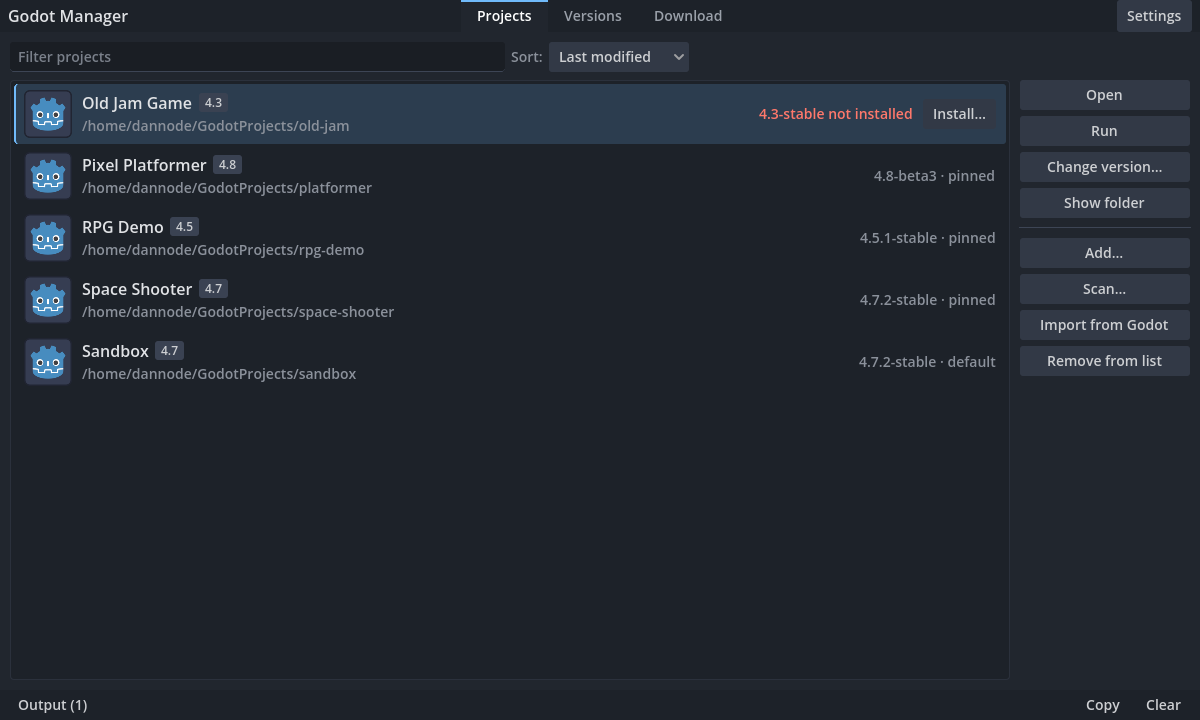
The project picks the version, not you.
Pin a version per project once. From then on, godot opens the right one from any folder in the project.
godot-manager set-local 4.8-beta3 writes .godot-version. godot finds it by walking up from the current folder; if there isn’t one, it uses the global default.godot-manager is written in Go and its binaries are static: nothing else to install. godot-manager help lists every command.Official builds, verified.
Everything comes from godotengine/godot-builds, and every download is checked against the official SHA-512 or SHA-256 checksum.
Any release
Stable, dev and beta, with the standard or the .NET (mono) editor. With filters and sizes in the GUI.
Only the templates you use
Export templates for the platforms you ask for. It reads the files straight out of the remote .tpz, without downloading the whole archive, and puts them where the editor looks for them.
Debug symbols
For the editor and the templates, from Godot 4.8-beta1 on.
Your own builds
Add an editor you compiled with godot-manager add and use it like any other version.
Godot 3.x too
Old projects open on their own version. On Linux that covers the editor, mono and templates.
JSON for scripts
With --json, one result object, or one event per line for long operations. Error codes don’t change between versions.
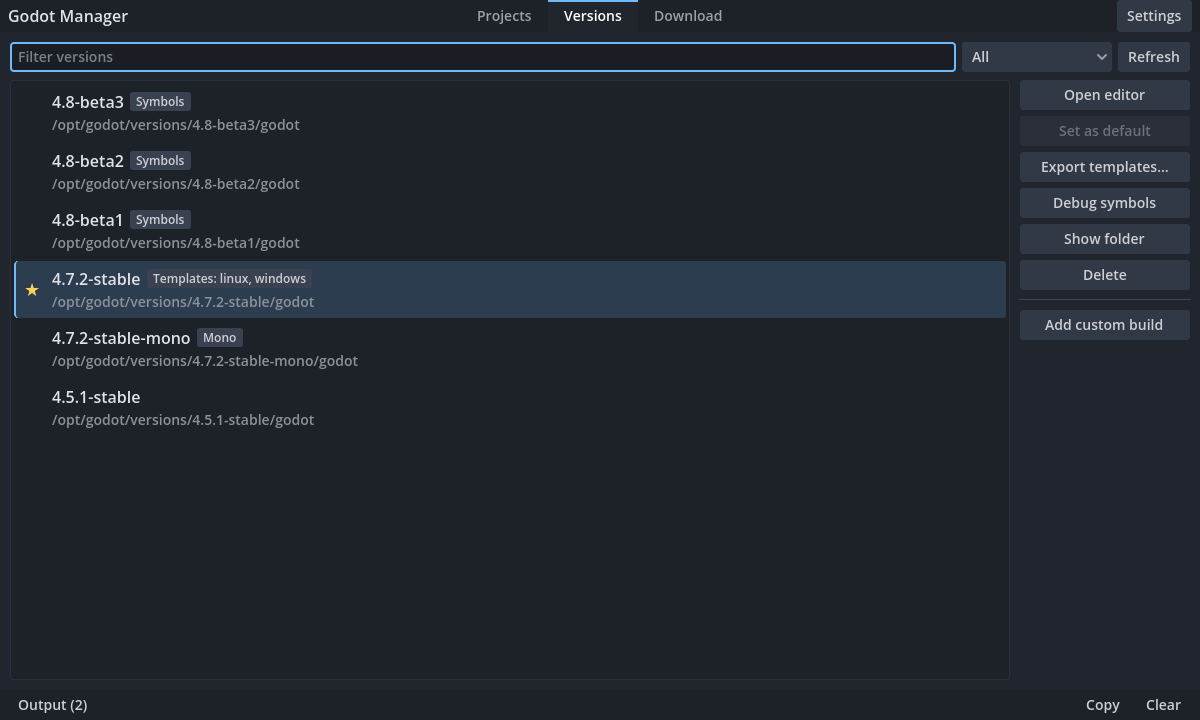
Like the Project Manager, with versions.
Three tabs: Projects (open, run, change the version or install a missing one, and import the list from Godot’s Project Manager), Versions and Download. Before installing, the dialog shows the exact command it will run.
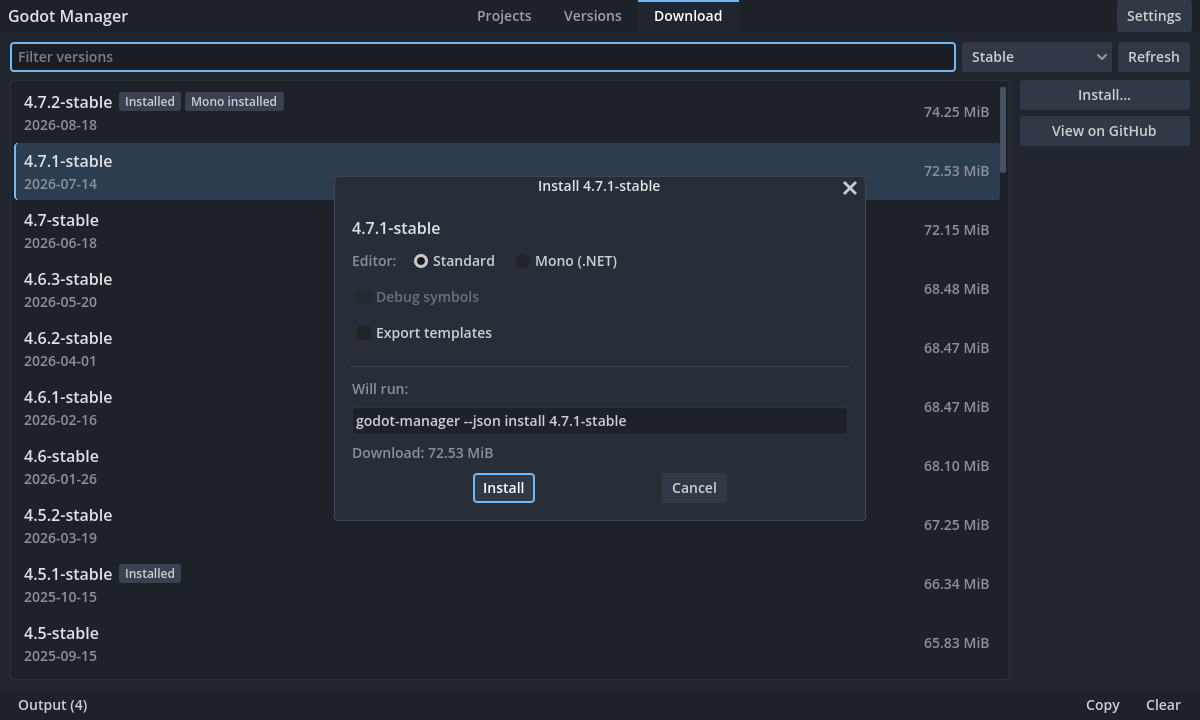
Or all of it from the terminal.
Install, pin the project’s version and open it. godot-manager which tells you which binary godot would use in that folder.
godot-manager install 4.7.2-stable --mono
godot-manager set 4.7.2-stable
# global default

cd my-game
godot-manager set-local 4.8-beta3
# writes .godot-version
godot -e
# opens 4.8-beta3 here
When a project won’t open.
A broken plugin or a missing version no longer locks you out of the editor.
Project plugins
godot-manager plugins lists a project’s editor plugins and flags broken ones. plugins disable turns one off without opening the editor, and in the GUI the Details… button shows them with toggles. Godot 3 and 4.
The missing version
If a project asks for a version that isn’t installed, the GUI offers to install it, pick another one or use the default, then opens the project.
It updates itself
godot-manager self-update updates the CLI, godot and the GUI, checked against SHA256SUMS. The GUI checks once a day and offers Update; turn it off in Settings. The Arch package updates through the package manager.
Right-click
Projects, installed versions and releases have a context menu with the same actions as the buttons. Also with the Menu key or Shift+F10.
One archive, three steps.
Linux and Windows on x64: the archive has godot-manager, godot and the GUI. On ARM64, the CLI only. SHA256SUMS has each archive’s checksum. On Arch Linux, makepkg -si from the repo.
On Linux, versions go to /opt/godot if it exists, otherwise to ~/.local/share/godot-manager, no sudo needed. On Windows, to %LOCALAPPDATA%\godot-manager. GODOT_DIR puts them somewhere else. Without a token, GitHub allows 60 requests per hour; a personal GITHUB_TOKEN with no scopes raises that limit.
On 2.2.0? It can’t update itself: download the archive again and replace your folder, just this once. From 2.3.0 on, godot-manager self-update takes care of it.
- Download the archive for your system and extract it anywhere.
- Open
godot-manager-uiand pick a version under Download. It uses thegodot-managernext to it: nothing else to install. - To use
godot-managerandgodotfrom a terminal, add that folder to yourPATH.
Godot Manager · MIT · Linux and Windows, x64 and ARM64 · Interface in English and Spanish.